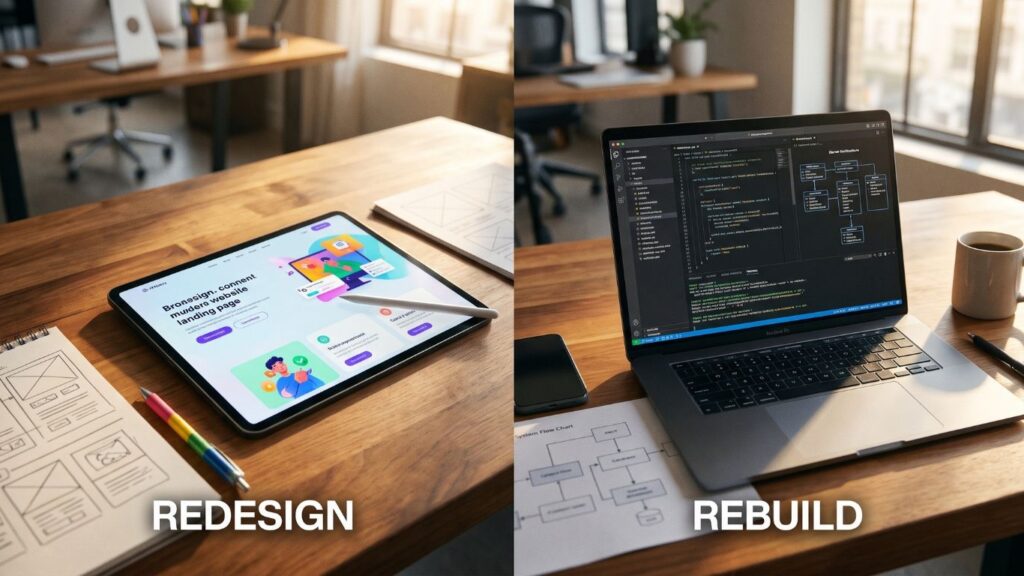
Every few months a business owner asks the same question in a different form: should we give the website a fresh coat of paint, or tear it down and start again? The answer matters because the two options differ by an order of magnitude in cost, risk and timeline, and because choosing wrongly is expensive in both directions. A redesign pushed onto a broken foundation produces a prettier site with the same slow pages, the same security exposure and the same inability to add what the business needs next. A rebuild commissioned for a site that only looked dated throws away working architecture, search rankings and budget.
This guide gives you a way to decide on evidence rather than taste. It defines the two terms precisely, describes five signs that point to a rebuild, shows how to test each sign in an afternoon, and explains how to rebuild without losing the Google visibility you have already earned.
Redesign and Rebuild Are Different Jobs

A redesign changes how the site looks and how visitors move through it: layout, typography, colour, imagery, page templates, navigation, copy. The engine underneath stays. Pages keep their URLs, the content management system stays, the database stays, the hosting stays. Done well, a redesign is relatively contained: the work is mostly design, front-end templating and content editing.
A rebuild replaces the engine. That can mean moving from one platform to another, moving from a theme-and-plugin stack to custom code, restructuring the data model, or re-architecting how the site is served. The visible design may change as well, but the defining feature is that the foundation changes. A rebuild is a software project, not a design project, and it should be scoped, tested and launched like one.
There is also a third category that is easy to overlook: a refactor, where the same platform is kept but the implementation is cleaned up. Removing twenty plugins, replacing a page-builder-heavy template with a lean theme, fixing the database, and upgrading PHP are all refactors. They often deliver most of the benefit of a rebuild at a fraction of the risk, and they belong in the decision before anyone writes a rebuild proposal.
The five signs below are ordered from the most common to the most conclusive. None of them is about whether the homepage looks old. A dated look is a reason to redesign. A rebuild is justified only when the problem sits below the surface and cannot be fixed there.
Sign 1: The Platform Has Hit Its Ceiling
Every platform has a shape: things it does naturally, things it does with effort, and things it does badly. A WordPress marketing site with a blog and a contact form is a natural fit. The same platform running a multi-branch booking engine, customer-specific price lists and an approval workflow is being stretched across all three categories at once.
The signs of a ceiling are practical. Each new feature requires a new plugin, and the plugins interfere with each other. Developers tell you a requested change is risky because it touches something fragile. The honest answer to many feature requests is “not without breaking something else”. Small changes take weeks because every change needs a full regression check. Workarounds have accumulated: custom fields used to simulate a data model, shortcodes nested in shortcodes, form plugins pretending to be a workflow engine.
Test it this way. List the five most valuable capabilities the business wants in the next twelve months: online deposits, a customer portal, an integration with the ERP, staff-managed availability, a member area. For each, ask the developer who knows the site best whether it can be added cleanly with the current stack, added with a workaround, or only added by replacing part of the foundation. If three or more land in the third category, the platform has a ceiling and the website is no longer the cheap part of your technology. Our guide on choosing between WordPress and Laravel describes the content-led versus process-led split in detail, and why many B2B sites end up with a WordPress front end and a purpose-built engine behind it.
A ceiling is not a verdict against the platform. WordPress remains an excellent foundation for content-led sites, and a well-built WordPress rebuild is often the right answer. The point is that the rebuild may keep the platform and change the architecture: a clean theme, a small set of well-chosen plugins, custom post types and fields designed for the real data, and custom code only where the business logic demands it.
Sign 2: Performance Cannot Be Fixed at the Source
Slow sites are common and most of them can be repaired without a rebuild. Compressing images, adding page and object caching, deferring scripts, moving to a better server and removing unused plugins often changes a failing site into an acceptable one. That is why speed on its own is a weak reason to rebuild. It becomes a strong reason when you have already done the cheap work and the numbers refuse to move.
Google publishes clear thresholds for its Core Web Vitals: Largest Contentful Paint within 2.5 seconds, Interaction to Next Paint within 200 milliseconds and Cumulative Layout Shift below 0.1. You can check the official Google Search Central guidance on Core Web Vitals for the definitions, thresholds and recommended measurement tools. Run your key templates through PageSpeed Insights and the Core Web Vitals report in Search Console, and look at what kind of failure you have.
Sign 3: Maintenance and Security Debt Has Become Unmanageable
Every website accumulates dependencies: the CMS core, a theme, plugins, libraries, the PHP version, the database engine. Each one needs updates, and each update can break the others. A healthy site gets updated on a routine and the routine is boring. An unhealthy site is one where nobody dares to update.
The warning signs are concrete. The site runs a PHP version that no longer receives security fixes, because a plugin breaks on newer versions. A theme was customised directly instead of through a child theme or an override layer, so updating it erases the changes. A plugin has been abandoned by its author and still handles payments or forms. The site has been hacked before and was cleaned rather than rebuilt, so nobody can say with confidence that every backdoor is gone. Nobody can name who is responsible for updates, or the last time a backup was restored successfully.
Ask these questions of whoever maintains the site:
- Which plugins have not been updated by their authors in the last twelve months, and what does each one do?
- What is the oldest component in the stack, and what blocks upgrading it?
- If we updated everything today on a staging copy, how many things would break?
- When did we last restore a backup into a clean environment and check that it worked?
Maintenance debt is treatable up to a point. A planned clean-up that replaces abandoned plugins, moves customisations into proper code and upgrades the runtime can bring a site back to a maintainable state. When the same exercise reveals that the site cannot be upgraded without rewriting most of what it does, the clean-up has become a rebuild by another name, and it is cheaper to admit that and plan it properly. Our note on website maintenance cost in Egypt explains what a healthy maintenance routine includes, which gives you a baseline to compare your current situation against.
Security needs particular honesty because the downside is asymmetric. A site that collects customer data, takes payments or holds booking records carries obligations under Egypt’s personal data protection law, and a breach on an unpatchable stack is a business problem as well as a technical one. If the platform cannot be brought to a supported state, that fact alone can justify the rebuild, whatever the site looks like.
Sign 4: The Data Model No Longer Matches the Business
This is the quietest sign and often the most expensive. A website is, underneath, a set of structured things: products, rooms, tours, branches, doctors, projects, prices, languages, customers. If the site stores those things as pages of loose text and images, every change is a manual editing job, and every new channel (an app, a partner feed, a search filter, a second language) has to re-enter the same information from scratch.
Look for these patterns:
- The same information is maintained by hand in several places: the website, a spreadsheet, a booking tool, a social media profile. Updates are inconsistent because they depend on someone remembering.
- Pages that should be generated from structured data were built one at a time, so a price change means editing forty pages.
- Multilingual content is held in duplicated page trees with no reliable link between a page and its translation. A change in one language silently leaves the other behind. Our guide to multilingual SEO for Red Sea tourism sites describes the URL and hreflang structure a proper bilingual build needs, and why bolting it on afterwards is painful.
- Search and filtering are weak or absent, because the data behind the pages cannot be queried: it is prose rather than fields.
- Reports are impossible to build. You cannot answer simple questions such as which tours sell most, which branch gets the most enquiries or which language converts best, because the site records none of it in a usable form.
The remedy is a data model designed for the business: defined content types with typed fields, relationships between them (a tour has departures; a branch has opening hours and staff), a single source of truth for prices and availability, and templates that render from that data. Retrofitting this into an existing site usually means rebuilding the content layer, migrating the content into structured form and rewriting the templates. At that point you are doing most of a rebuild anyway, so the sensible course is to do it deliberately.
The test is the one-change test. Pick a change that the business makes often, such as changing a price, adding a language, launching a new location or publishing a seasonal offer. Count how many places must be edited and how many people must be involved. If the answer is more than one place or more than one person for a routine change, the data model is costing you money every week.
Sign 5: Integration and Conversion Are Blocked
A modern business website is rarely a standalone brochure. It feeds enquiries into a CRM, sends bookings to an operations system, takes payment through a local gateway, reports conversions to an analytics tool and shares data with a mobile app or a partner. The site that cannot do these things well becomes a bottleneck for the entire commercial operation.
The blocked-integration pattern has several variants. Orders and enquiries arrive by email and are re-keyed into another system. The payment flow supports only what a plugin supports, so a preferred gateway or payment method is impossible. There is no reliable way to expose data to a partner because the site has no API. Tracking is incomplete: form submissions, WhatsApp clicks and bookings are not recorded as conversions, so marketing spend cannot be tied to results. Our overview of CRM and ERP connections sets out which workflows are worth automating first, and most of them assume the website can act as a proper participant in a system rather than a dead end.
Conversion blockers belong here too. The checkout cannot be simplified without hacking plugin templates. The booking journey requires six clicks because the booking tool dictates the flow. Mobile experience is poor because the layout is a desktop design squeezed down. Many of these can be solved in a redesign, but when the cause is that the platform dictates the flow and the design layer cannot change it, the fix requires changing the platform.
The test is the handoff count. Follow one real customer journey from first visit to delivered service. Count the manual handoffs: a person copying data between systems, a staff member rechecking something the site should know, a customer asked to repeat information already given. Every handoff is a delay, an error risk and a labour cost. If more than two exist in the main revenue journey and the website cannot remove them, the architecture is the problem.
Scoring the Five Signs
Put the five signs on one page and score each from 0 to 3, using the tests above:
- 0 means the sign is absent.
- 1 means it is present but has a cheap, reliable fix.
- 2 means it is present and a fix is possible but expensive or fragile.
- 3 means it is present and cannot be fixed within the current foundation.
Read the result as a pattern rather than a total. A site scoring 1 or less on every sign is a redesign candidate, or even just a refresh, and a rebuild would be wasteful. A site with one or two scores of 2 is a refactor candidate: fix the specific weaknesses in place and revisit in a year. A site with a 3 on any sign, or with 2 on three or more signs, is a rebuild candidate, because the problems are structural and will keep costing money while the foundation stays.
The scoring is deliberately blunt. It prevents the two most common mistakes: a team that falls in love with a visual refresh and ignores a failing foundation, and a developer who sees every problem as a reason to start again. Whoever scores should include someone from the commercial side of the business, because signs 4 and 5 are visible in operations long before they are visible in code.
What a Redesign Cannot Fix
It helps to be explicit about what a visual redesign cannot do, because many projects are justified on promises the redesign does not carry. A redesign will not make slow templates fast, because speed lives in markup, scripts and server work. It will not make an abandoned plugin safe. It will not give you structured data, working integrations or multilingual links between pages. It will not improve rankings by itself, because search performance depends on content, structure, links and technical health, and a redesign can easily damage all four.
What a redesign can do is substantial when the foundation is sound: clearer messaging, a stronger visual identity, better mobile layouts, faster comprehension of what you sell, and fewer steps between a visitor and an enquiry. If your scoring shows the foundation is healthy, a redesign is the right investment and should be treated as a conversion project, with clear before-and-after measures: enquiry rate, booking completion, bounce on key pages. The website design cost guide explains how scope drives price on that kind of project.
Rebuilding Without Losing Your Rankings
A rebuild is dangerous for search visibility because it changes exactly the things Google uses to understand a site: URLs, internal links, page templates, metadata and speed. The risk is manageable with discipline, and the discipline starts before design.
Inventory before anything else
List every URL that receives traffic, impressions or links. Pull them from your analytics, Search Console, the sitemap, server logs and a crawl of the site. Mark the pages that earn real value: organic landing pages, pages with inbound links, pages that drive enquiries. These are the pages the rebuild must preserve or redirect with care.
Keep URLs where you can, redirect where you cannot
The safest rebuild is one in which valuable URLs do not change. If the new structure forces new URLs, each old URL needs a one-to-one server-side redirect to its closest equivalent, never a blanket redirect to the homepage. We cover the mechanics in detail in our website migration checklist, including redirect maps, staging tests, launch-day sequencing and the first 30 days of monitoring. Treat that checklist as part of the rebuild brief rather than an afterthought.
Preserve what ranks
Pages that rank are carrying weight for reasons you may not fully understand: their headings, their copy, their internal links, their speed. The rebuild should carry that content across with its structure intact, and improve it after launch rather than rewriting everything at once. Changing too many variables simultaneously makes it impossible to diagnose a ranking drop. Google’s own site move guidance makes the same point: change one thing at a time where you can.
Test on staging with the production rules
The staging build must match production behaviour for redirects, canonical tags, hreflang, structured data, robots rules and sitemaps. It must also be blocked from indexing until launch, and the block must be removed on launch day, because forgetting that step is among the most common reasons new sites disappear from search.
Reducing Risk by Rebuilding in Phases
The picture of a rebuild as a single big-bang launch is only one option. A phased approach often reduces risk and spreads cost. In a phased rebuild, you replace the site by section: first the lead-generation pages, then the booking or ordering engine, then the portal or account area. The old and new systems run side by side behind the same domain, with routing that decides which system serves which URL. Each section launches, is measured, and is corrected before the next one starts.
Phasing has three advantages. It limits the blast radius of mistakes, because only one section changes at a time. It lets the business see value early, typically from the most commercially important section. And it keeps cash flow smoother than a single large invoice. The disadvantage is temporary complexity: for a while, two systems must be maintained and kept visually consistent. For sites with serious operational features, that trade is usually worth making.
The decision between big-bang and phased depends on how entangled the existing system is. A content site with clean URLs can usually be rebuilt in one release. A site where the booking logic, the pricing and the content are interwoven in the same plugins is a good candidate for phasing, because there is no safe way to replace everything at once.
Cost, Timeline and the Cost of Waiting

Owners often compare the quote for a rebuild with the quote for a redesign and conclude the rebuild is too expensive. That comparison omits the cost of doing nothing. A site with a structural problem has recurring costs: hours lost to manual handoffs, revenue lost to slow or confusing journeys, emergency repair bills, and the opportunity cost of features the business cannot launch. Add them up over twelve to thirty-six months before judging the price.
A useful framing is a simple three-year comparison. For each option, list the one-off project cost, the yearly maintenance cost, the estimated yearly cost of the problems it leaves in place, and the value of capabilities it unlocks. Use your own figures, label the assumptions, and compare totals rather than headline prices. Cheap options that leave structural problems in place often lose on this basis, and expensive options that fix nothing structural lose as well. For cost drivers on more complex systems, our breakdown of customer portal and custom system costs sets out what moves a budget up or down.
On timeline, be wary of any plan without a discovery phase. A rebuild proposal should start with an audit of the current site, a content and URL inventory, a definition of required features, and a technical design agreed before the first template is written. Skipping discovery is how projects overrun, because the unknowns surface after the money is committed.
How to Brief a Rebuild
A good rebuild brief is short and specific. It should contain the business goals the site must serve, ranked; the five-sign scoring and the evidence behind it; the list of URLs and content that must be preserved; the integrations required now and likely within two years; the languages and markets; the performance targets for key templates; and who will own the site after launch. It should also state what is out of scope, so that a rebuild does not quietly become a redesign, a content rewrite and a branding exercise at the same time.
Ask each supplier the same questions and compare the answers:
- What would you keep from the current site, and why?
- How will you protect existing rankings, and what will you deliver for it?
- What happens to our content and data if we leave you?
- How will performance be verified, and against which thresholds?
- Who maintains the site after launch, and what does maintenance cover?
Suppliers who answer these with specifics are showing you how they work. Vague answers are information too.
A 30-Day Plan to Decide
You do not need to commit to a rebuild to find out whether you need one. A month is enough to decide with evidence.
- Week 1: run PageSpeed Insights on the five most important templates, export the Core Web Vitals and indexing reports from Search Console, and list every plugin with its last update date.
- Week 2: run the one-change test and the handoff count with the people who do the work. List the five capabilities the business wants in the next year and classify each as clean, workaround or blocked.
- Week 3: score the five signs. Ask a developer to estimate the fix budget for the worst-scoring sign, with and without a rebuild.
- Week 4: decide between redesign, refactor and rebuild, and write the brief for the chosen path.
If the result is a rebuild, you will walk into supplier conversations with a scored diagnosis, a preserved-URL list and a clear definition of success. That alone changes the quality of the proposals you receive, and it protects you from paying for a redesign when the foundation is what is failing, or paying for a rebuild when a clean-up would have done. The projects that go well are not the ones with the biggest budgets; they are the ones where the decision was made on a measured diagnosis, the redirect map was written before the first page was built, and the new foundation was designed around how the business actually sells.