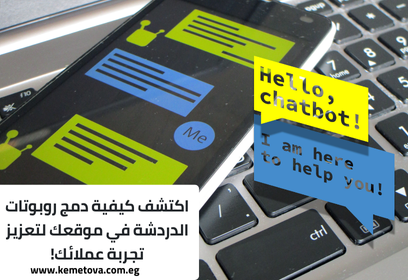
Chatbots have become one of the modern tools website owners rely on most to give users a better experience and increase customer engagement.
As users increasingly expect quick, instant replies, adding interactive chatbots to a website has become a great way to meet that need and increase customer engagement.
In this article, we’ll look at what chatbots are, how to add them to your website easily, and the best practices for getting the most out of them.
What Are Chatbots?
Interactive chatbots are software programs designed to take over part of the work people used to do, handling tasks that used to take a lot of time.
Chatbots take different forms depending on what they’re built for. They’re now used on websites and web apps, smartphone apps and systems, and even smart home devices.
Why Chatbots Matter for the User Experience
In today’s fast-paced world, customers expect an immediate reply to everything. Slow responses and a lack of direct support are some of the main reasons businesses lose potential customers. Chatbots can solve these problems with effective solutions such as instant support around the clock.
Here are the main reasons adding chatbots to your website is a must:
- Chatbots reply instantly, instead of making customers wait a long time for a human support team. You can give the chatbot your common questions and answers, and it will reply to customers’ questions right away.
- Interactive chatbots are available 24 hours a day, unlike human support tied to working hours, so your customers get support whenever they need it.
- A personalized experience: you can design chatbots that tailor the experience to each customer based on the data collected, such as their interaction history or the products they’ve shown interest in.
- Chatbots increase conversions. Studies show that customers who get quick, instant replies tend to decide to buy or subscribe faster, which increases conversions over the long term.
How to Add Chatbots to Your Website, Step by Step

Before you add a chatbot to your site, follow these steps and guidelines so it works well for your website:
1. Define the chatbot’s goal and main job
The first step before using a chatbot is deciding what you want it to achieve. For example, do you want to improve customer service? Increase sales? Give personalized product recommendations? Based on your main goals, you can design and use a chatbot that reaches them efficiently. Here are some of the jobs a chatbot can do:
- Answer customers’ most common questions.
- Help users find their way around the site.
- Give personalized recommendations for products or services.
- Handle simple requests, such as bookings and price questions.
2. Choose the right chatbot platform
When choosing a platform for adding a chatbot to your site, look for one that integrates simply and smoothly with your website. Some of the best-known chatbot platforms:
- Drift, a powerful platform focused on bringing AI to websites to give customers a better experience.
- Intercom, which lets you engage with customers through an easy, customizable interface.
- Tidio, one of the best platforms for easy integration with ecommerce sites, such as Shopify and WordPress.
Choose a platform that’s easy to integrate and offers strong support for customizing the chatbot to your site’s goals and needs.
3. Set up your chatbot
Once you’ve chosen a platform, set up the chatbot to handle different kinds of questions and likely scenarios. You can split the setup into several stages:
- Set up automatic replies: the chatbot should have pre-programmed answers to customers’ common questions, such as “What are your opening hours?” or “What’s your returns and exchanges policy?”
- Design automatic interactions: you can design a chatbot that makes automatic suggestions to customers based on their previous interactions with your site.
- Train it with machine learning: if you use an AI chatbot, train it on past conversations so it gives customers more accurate answers over time.
Read also: how to use voice search to attract customers.
4. Add the chatbot to your main pages
Put the chatbot in visible, easy-to-reach places on your site, so customers can always see it. You can place it on your most important pages:
- Your homepage, so every new visitor can see it and get instant support when they need it.
- Your checkout page, to give instant help during purchases, such as explaining the payment options on your site or answering questions about shipping.
- Your product pages, to help customers decide to buy by giving recommendations or showing related products.
Best Practices for Making Chatbots More Effective on Your Website
To make sure your chatbot reaches its goals, follow these practices:
- Give the chatbot a range of interactive options that make communication easy. For example, you can set it up with ready-made buttons for the most common questions, so customers can find the information they need faster.
- Use a simple, clear interface for the chatbot, to give customers a positive, engaging experience.
- Monitor performance and collect and analyze data, so you know how customers interact with the chatbot. This data includes the most common customer questions, the times of day the chatbot is used most, and how often it solves customers’ problems and questions without human help.
- Keep improving your chatbot based on customer feedback. If there are recurring questions the bot doesn’t answer correctly, update it so it learns to answer them properly. Review the bot’s performance regularly to make sure it’s running smoothly and effectively.
Read also: why website design matters today.
How Chatbots Improve Customer Engagement
- Instant replies to customer questions are one of the biggest factors in customer engagement. Chatbots reply quickly, which reduces customer frustration and improves their overall experience on your site.
- A better buying experience: chatbots help customers during purchases and give them all the information they need about products or shipping options, which increases conversions and reduces cart abandonment.
- Personalized interactions: chatbots can give each customer a tailored experience based on their behavior on your site. For example, a bot can suggest products similar to ones the customer viewed before, or ask about their interests.
- Ongoing engagement: chatbots can send automatic notifications or messages about special offers or limited-time discounts, which encourages customers to come back, buy and engage with your site again.
Chatbots also play a big role in your website’s SEO by improving the user experience and increasing time on site. They help lower your bounce rate and increase real-time engagement with users, all of which builds your site’s credibility with search engines and helps it rank higher.
Adding chatbots to your website is an important strategic step for improving the user experience and increasing customer engagement. With instant replies and personalized interactions, you can improve your conversion rate and build strong relationships with your customers.
By following the steps above, you can get the most from this modern technology, improve your customers’ experience and make your website more successful over the long term. If you have any questions about adding chatbots to your site, get in touch with the Kemetova team, and we’ll get back to you.