
Learn how to add schema markup to boost your site’s performance in search engines.
Online today, improving your website’s visibility in search results (SEO) is extremely important for any website owner who wants to attract more visitors and succeed over the long term. One of the most powerful tools for improving visibility is structured data (schema), which helps search engines understand your site’s content better, improving your site’s performance and helping it rank higher.
Talk about SEO can get complicated for non-specialists, but structured data can make your site look better in search results and increase its chances of appearing with eye-catching features such as star ratings, images and rich snippets.
In this article, you’ll learn a simple, easy way to add schema markup to improve your site’s search rankings.
What Is Structured Data (Schema Markup)?
As we explained in an earlier article, schema markup is a specific format of data added to your website’s code to help search engines understand your content more accurately. It uses standard formats such as JSON-LD, Microdata or RDFa.
The main goal of structured data is to give search engines extra information about the content on your pages, such as comments, ratings, events and many other elements that can appear in search results as rich features and snippets. Learn more about schema markup and why it matters for visibility in search engines such as Google.
How to Add Schema Markup, Step by Step
One of the most popular ways to add schema markup is JSON-LD (JavaScript Object Notation for Linked Data). JSON-LD is Google’s preferred format because it lets you include structured data in your HTML separately from the visible content, which makes it easy to update or change without affecting the page’s layout. But this method needs a developer.
If you don’t have any coding knowledge or experience, that’s no problem. There are several easy ways to add structured data without writing code by hand.
Here are the key tools that make adding schema markup to your site easy:
Use Google’s Structured Data Markup Helper
Google’s Structured Data Markup Helper is a simple, easy-to-use tool that helps you add schema markup without writing any code. It generates JSON-LD code for you; you choose the type of structured data you want to add, and the tool gives you the code to copy and paste into your site.
Follow these steps to see how to add schema markup in practice:
Open the tool
First, go to the tool’s website here: Structured Data Markup Helper.
Choose the type of structured data
Choose the type of content you want to add schema markup to. It could be a product, an event or an article; we’ll use Articles as a practical example.
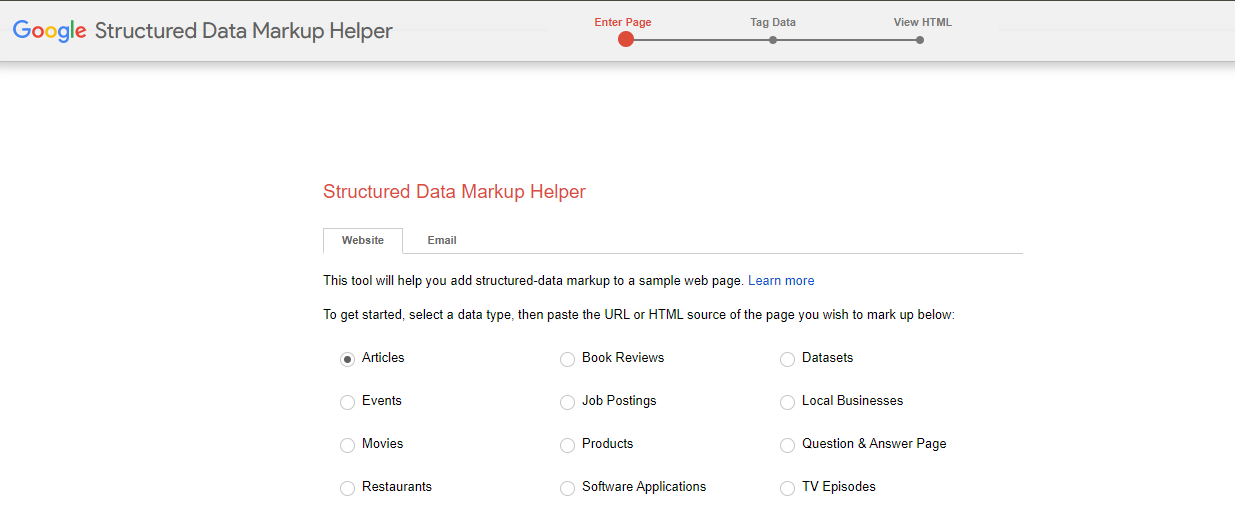
Enter the URL of the page you want to improve
In this step, enter the URL of the page you want to add schema markup to, then click Start Tagging.
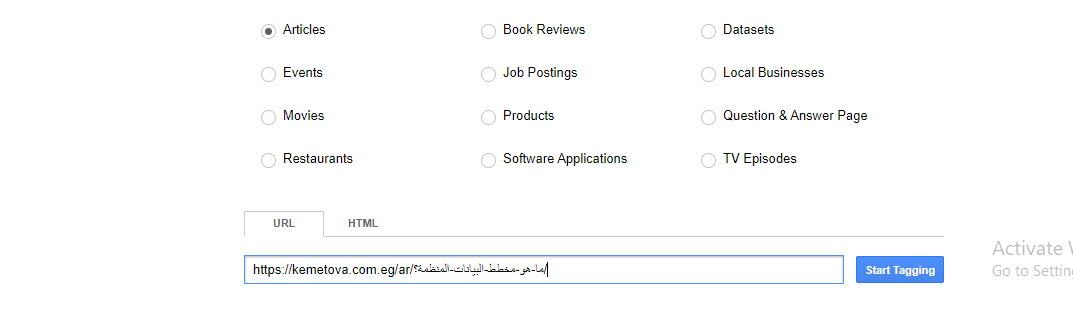
Your page will then load so you can start tagging, and it will look like the image below.
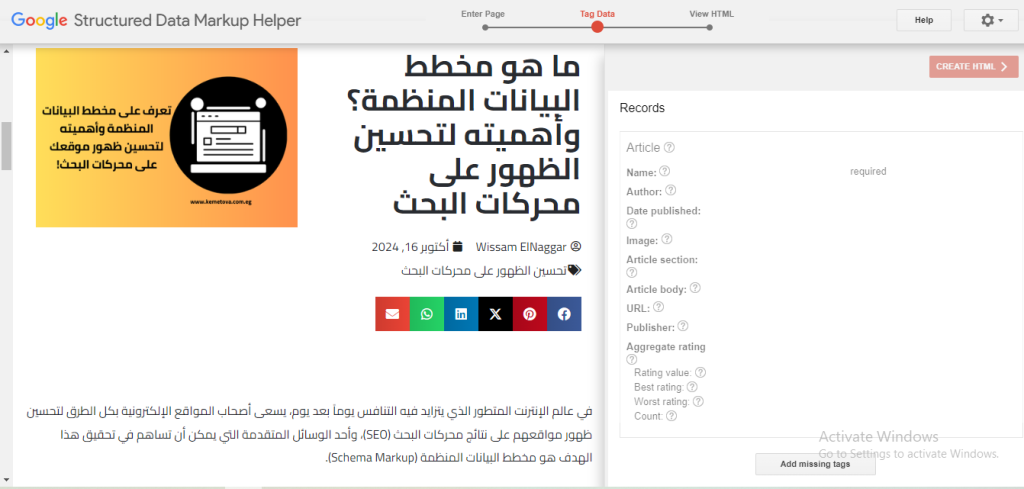
Tag the page
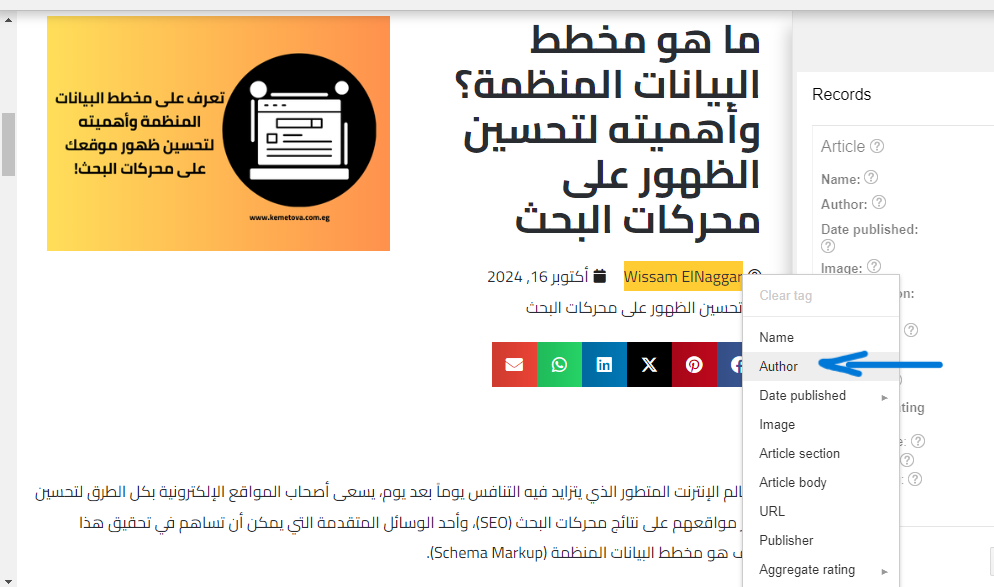
Start selecting the information on the page you want to tag. The tool generates the structured data code automatically based on your choices. The image below shows an example of tagging a page.
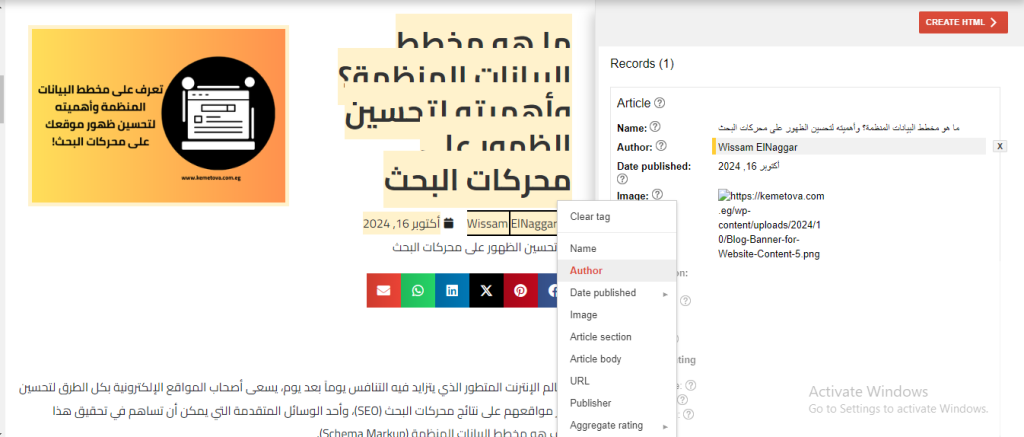
Create the HTML code
When you’ve finished the previous step, click Create HTML to generate the code, then use the menu at the top to choose JSON-LD or Microdata, as shown in the image.
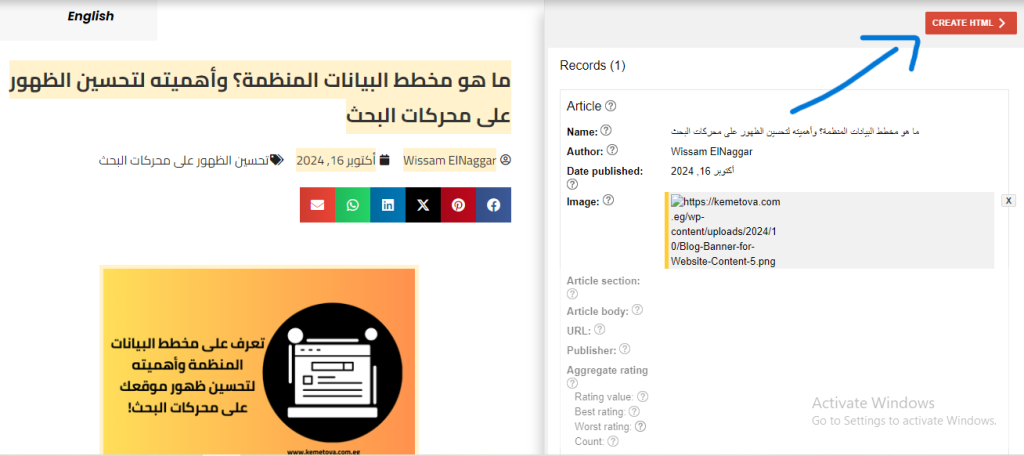
Add the markup to your site
Once the code is created, you can copy it and paste it into your website’s content management system (CMS). This code tells search engines clearly what your page is about, which helps it appear better in search results. When you’ve finished these steps, update the page and click Finish.
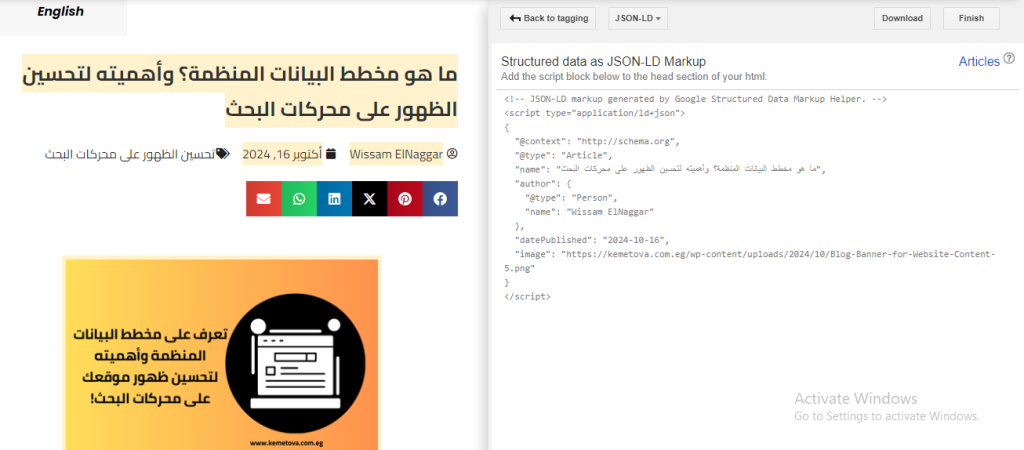
Use WordPress plugins for structured data
If you use WordPress to manage your website, there are several plugins that make adding schema markup easy without writing any code. Here are some plugins with ready-made, easy-to-use solutions:
- Yoast SEO: this well-known plugin isn’t only for SEO; it also adds schema markup automatically. All you need to do is fill in a few fields, and the plugin does the rest for you.
- Schema Pro: a plugin built entirely for adding schema markup. It lets you choose the type of content you offer, whether products, articles or reviews, and then adds the schema markup easily without any code.
Test Your Schema Markup
After adding schema markup, check that it works correctly and has no errors. You can check it in one of these ways:
Google Search Console is a free tool from Google that lets you monitor your site’s performance and analyze its structured data:
- Sign in to your Google Search Console account.
- In the side menu, choose Overview, then the Enhancements section.
- In this section, you can see reports on the structured data on your site, and Google will tell you if there are any errors to fix or if everything is working correctly.
The second way to test your schema markup is Google’s recommended Rich Results Test. Enter a URL or a code snippet, and the tool shows you any errors or warnings. If you need to fix an error, edit the code and click Run test again.
Improving your site’s visibility in search results by adding schema markup is an essential step for attracting more visitors and improving the user experience. The term may sound complex and technical, but as we’ve shown, there are many tools and solutions that make it easy to add schema markup without knowing how to code.
If you have any questions about adding schema markup to your pages to boost your site’s search performance, get in touch with the Kemetova team. We offer website design, SEO, web hosting and easy domain registration for your online business.