
With competition growing online and new websites appearing every day, monitoring and improving your website’s performance is essential for keeping your place in search results. Google Analytics is one of the most powerful analytics tools for website owners. It lets you monitor traffic continuously, understand visitor behavior and analyze all your data so you can make clear, sound decisions.
In this article, we’ll look at how to use Google Analytics to improve your website’s performance, focusing on the best metrics and ways to analyze data and use it to keep your site performing well and ranking higher in search results.
How to Set Up Google Analytics for Your Website
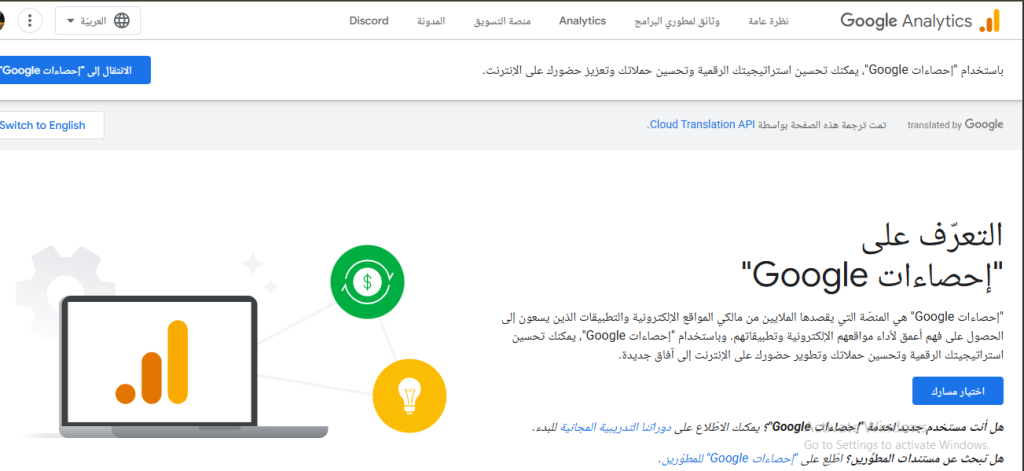
To get value from Google Analytics, the first step is setting up your account correctly:
- Sign in to Google Analytics with your Google account and create a new account linked to your website.
- Once your account is created, you’ll get a tracking code for your site, which you need to add to every page.
- Install the tracking code on your site, either directly in the right place in your code or through your content management system (CMS), such as WordPress, using one of the available plugins.
- After installing the tracking code, check that your site’s data is appearing in your Google Analytics account by visiting your site and checking the real-time activity.
You can sign up for Google Analytics here to start improving your website’s performance.
The Key Google Analytics Metrics to Track
Once your Google Analytics account is set up, the most important part is tracking the key performance indicators (KPIs) that give you a complete picture of your website’s performance. Here are the key metrics to track regularly:
- Number of visitors: the total number of visitors or users who browse your site. You can split this into new and returning users, which helps you assess how well your marketing campaigns attract more visitors.
- Session duration: the average time a visitor or user spends on your website. A low duration suggests visitors aren’t satisfied with your content, or find the site hard to navigate.
- Bounce rate: the percentage of users who leave the site after viewing only the first page. A high bounce rate suggests problems with the user experience, or content that doesn’t suit your visitors.
- Traffic source: where your visitors and users come from, whether search engines, social media or email campaigns. Knowing your traffic sources helps you improve your marketing strategies and make them more efficient.
How Google Analytics Helps Improve Your Website’s Performance
To get your website performing at its best, use these approaches to improve every part of your site:
1. Understand user behavior to improve the user experience (UX)

To help you understand how users and visitors interact with your website, Google Analytics gives you user behavior reports that show you:
- Your highest-traffic pages, so you can focus on improving them and keeping users happy.
- The paths users take between pages on your site, so you can see where people leave and work on those points.
- How long visitors stay on your site, so you can find out why visitors stay or leave quickly, and act on it, for example by speeding up your pages or adding engaging content.
2. Improve your SEO with Google Analytics
SEO is one of the most important factors in any website’s success, and Google Analytics can help you improve your site’s SEO in several ways:
- Find keywords with low competition and high search volume by using Google Analytics together with Google Search Console. You’ll see which keywords can bring you lots of traffic, and you can use them to improve your pages.
- Analyze your site speed. Speed has a big effect on the user experience (UX) and on where your site ranks in search results. The speed reports in Google Analytics show you which pages need work.
- Improve your site’s performance on smartphones. If your site doesn’t display well on phones, improve its design to fit every type of small screen, and improve the user experience (UX) so it’s smooth and simple.
3. Track conversions and your website’s goals
One of the most important features of Google Analytics is tracking conversions, which show how well your site reaches its main goals, such as buying a product, subscribing to a service or signing up on the site. To analyze conversions, set up your site’s main goals in Google Analytics, for example a user reaching a thank-you page after a purchase or subscription. Setting up your goals makes it much easier to track conversions and assess how effective your marketing campaigns are.
Google Analytics also helps you analyze your conversion funnel. You can see every stage visitors go through before converting, and if you notice most visitors leave before completing a purchase or subscription, there may be a problem with your checkout page design.
Read also: how to add your business to Google Maps.
4. Make your marketing campaigns more efficient
If you run online marketing campaigns for your site, such as pay-per-click (PPC) or email marketing, you can use Google Analytics to measure how effective they are:
- Track your ad campaigns and the links in them, so you can see how much traffic and how many conversions they bring.
- Analyze your return on investment by comparing the cost of each campaign with the number of conversions. This tells you how successful the campaign was, so you can make clear decisions for better performance.
Read also: how search engine marketing (SEM) helps you succeed online.
5. Make your website load faster
Speed is one of the most important parts of any website’s performance. Slow websites hurt the user experience (UX) and raise bounce rates. With the speed reports in Google Analytics, you can find slow pages and improve them by:
- Reducing image file sizes without affecting quality. Large images slow pages down, and you can compress them with tools such as TinyPNG.
- Reducing and cleaning up your page code, and cutting the number of requests to your server to improve speed.
6. Connect Google Analytics with other tools
One of the best things about Google Analytics is how it works with other tools, such as Google Search Console and Google Ads. You can link your Google Analytics account to Google Search Console for clearer insights into the high-volume keywords that bring visitors to your site from search. You can also track your Google Ads campaigns in Google Analytics and analyze their conversions and return on investment.
Google Analytics is one of the best and most powerful analytics tools for analyzing and improving your website’s performance, and it can be the foundation of your SEO and user experience strategies.
By focusing on the key metrics above, you can understand what your audience needs and improve your site based on those needs. In today’s constantly changing digital world, data is the key to success for any website, and Google Analytics gives you everything you need to improve your site’s performance and make sound decisions that deliver real, lasting results.
If you have any questions about improving your website’s performance, get in touch with Kemetova, and we’ll get back to you. We offer every website design service you need, as well as web hosting and domain registration.