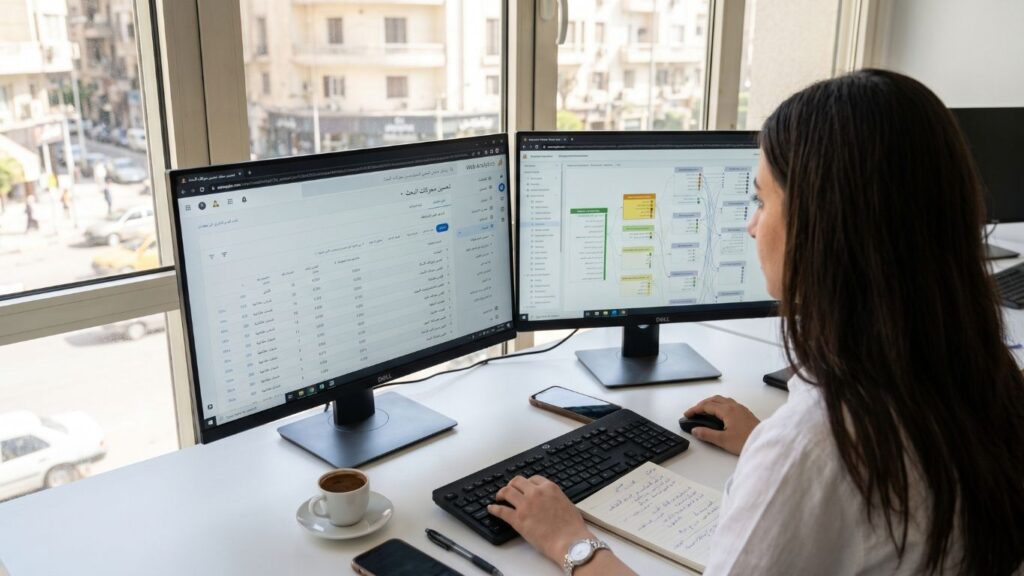
Most Arabic SEO projects fail before a single page is written, and they fail at keyword research. A team exports a list of English keywords, runs it through a translator, pastes the result into a tool, and builds pages around words that almost nobody types. The Arabic web is not an English site with the text flipped. It has its own spelling variants, its own dialect layers, its own technical traps in right-to-left layout and font delivery, and its own measurement problems. This guide walks through each of them in the order you meet them on a real project, with a focus on Egyptian searchers and on businesses that sell to them.
The guidance below is based on public documentation and on engineering practice. It contains no ranking promises and no invented benchmarks. Where a decision depends on your own data, we say so and show how to collect it.
Why Arabic keyword research is a different discipline
In English, a keyword is mostly a stable string. In Arabic, the same intent can be written in a dozen valid ways, and the way a person writes it depends on who they are, what device they use and what they are trying to buy. Four things make the work harder than it looks.
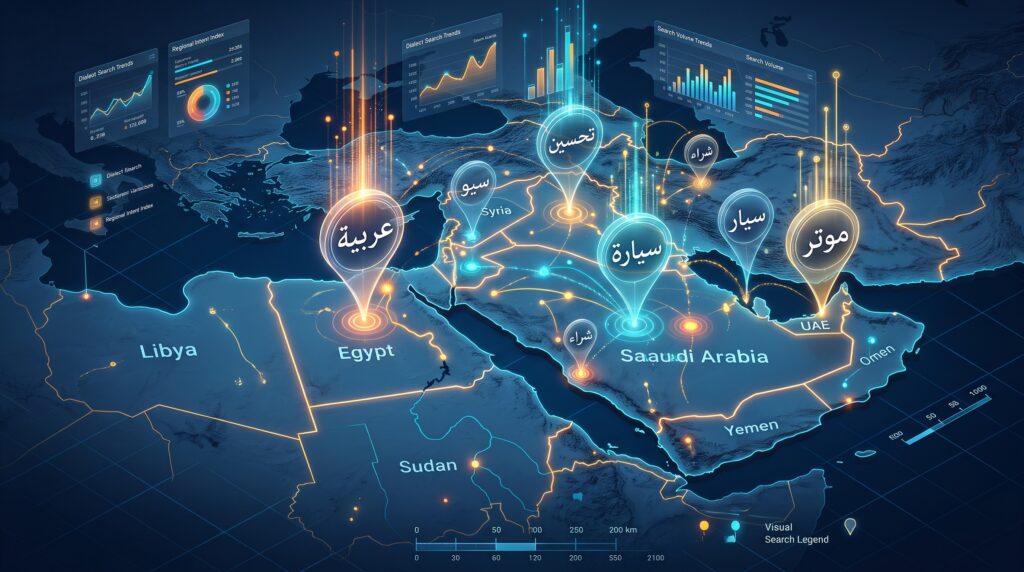
- Dialect. The formal written language and the spoken Egyptian dialect share an alphabet but differ in vocabulary and grammar. A buyer may type the formal phrase for a service in Google and the colloquial phrase in a WhatsApp message to your sales team.
- Orthographic variation. Letters such as the alef with and without hamza, the final ta marbuta and ha, the final ya and alef maqsura are routinely interchanged in everyday typing. Search engines normalise many of these, but not all, and your tools often do not.
- Script mixing. Egyptian users mix Arabic script, English brand names and Latin-letter Arabic, often called Franco-Arabic or Arabizi, in the same session.
- Thin tool coverage. Volume estimates for long Arabic queries are often missing or rounded, which pushes teams back to guesswork.
The practical consequence: treat Arabic keyword research as evidence gathering from several sources, not as one export from one tool.
The three layers of how Egyptians search
Layer 1: Formal written Arabic
This is the language of news, government, legal and academic text, and of most corporate websites. Searchers who use it tend to be researching, comparing or looking for official information. Queries are often longer and more noun-heavy. For B2B services, this layer usually captures procurement, legal and corporate decision makers who copy and paste phrases from tender documents.
Layer 2: Egyptian colloquial
This is how people actually speak, and increasingly how they type, particularly on mobile and in voice search. Question words, negation and everyday verbs differ from the formal language. Queries phrased this way tend to show earlier-stage, practical intent: how much does it cost, how do I fix this, is this worth it. Colloquial spelling is not standardised, so one phrase can appear in several spellings.
Layer 3: Mixed script and brand terms
Technology and commerce are full of English terms that Egyptians use inside Arabic sentences or in Latin letters. Words such as domain, hosting, server, app, plugin and SEO itself are typed in English, in Arabic transliteration, or both. A page that only uses one form leaves the others to competitors.
Your job in research is to decide, for each commercial topic, which layers matter, and to avoid assuming that one layer represents all of your buyers.
A workflow that produces usable keyword lists
Step 1: Start from your own data
If the site already has traffic, Google Search Console is your best source, because it records the exact strings real people typed before they saw your result. Open the Performance report, filter by country Egypt, and export queries.
Google confirms in its Search Console documentation that custom query filters can use RE2 regular-expression syntax. To isolate Arabic-script queries, use a custom regex query filter. A pattern such as [\x{0600}-\x{06FF}] can be used to identify queries containing Arabic characters.
Export the list, sort by impressions, and look at queries where you already receive visibility but rank below the strongest positions. These are useful demand signals because Google is already associating your pages with those searches.
Step 2: Mine your sales and support channels
The most underused source is the language clients already use with you. Read the last fifty enquiries from WhatsApp, email and contact forms. Note the words people use for the service, the problem and the price. These are real commercial phrases in the dialect your buyers use, and no keyword database will capture all of them.
Step 3: Expand with search suggestions
Type seed terms into Google and note autocomplete suggestions, People Also Ask questions and related searches. Do this separately for formal and colloquial seeds, and separately on mobile where useful.
Record the language of each suggestion, not just the topic. The point is not simply to collect more phrases, but to understand which register people use for each search intent.
Step 4: Use planning tools with realistic expectations
Use keyword-planning tools to estimate demand and discover related topics, but treat volume figures as directional rather than absolute, especially for long, colloquial or inconsistently spelled Arabic queries.
Where a tool shows no volume, that is not proof that nobody searches the phrase. Arabic long-tail coverage can be thin, so combine tool data with Search Console, sales enquiries and live search results.
Step 5: Read the results page, not just the numbers
For each important target query, search it and examine what actually ranks. Note whether results are Arabic or English, whether Google favours service pages, articles, directories, videos, local results or shopping pages.
The result format gives you valuable information about intent and should influence the type of page you create.
Step 6: Record variants in one sheet
Build one sheet per topic with these columns: query exactly as typed, language layer, intent, country, device, source and target page.
This sheet becomes both your content map and your brief for writers.Spelling variants: normalise on paper, not only in the tool
Arabic users type fast and often skip small marks. The variants below appear constantly in real queries and in your own analytics. Group them under one intent in your sheet so you do not create duplicate pages or miss traffic.
- Alef forms. The plain alef, alef with hamza above and alef with hamza below are frequently swapped. Plain alef is the most common in casual typing.
- Ta marbuta and ha. A word ending in ta marbuta is often typed with ha at the end.
- Ya and alef maqsura. The final ya and alef maqsura are interchanged, especially on mobile keyboards.
- The definite article. The prefix meaning the can be attached to the word, and Arabic also attaches prepositions and conjunctions as prefixes. Singular, plural and prefixed forms of a noun can behave as separate queries.
- Diacritics and elongation. Vowel marks and the decorative stretching character are rarely typed. Do not add vowel marks to your page text, since they add noise and do not help matching.
- Digits. Eastern Arabic-Indic digits and Western digits both appear in queries and in content. Pick one display convention per page and keep prices and phone numbers consistent, because mixed digits break copy and paste, parsing by tools and scraping by crawlers.
Search engines apply their own normalisation, so you do not need to stuff every variant into a page. What you need is to write naturally, use the most common form in titles and headings, and let variants appear in body text where they fit. Use the sheet to check that no important variant is entirely absent from the site.
Choosing a dialect per page, not per site
A common question is whether the whole site should be written in formal Arabic or in Egyptian colloquial. The better answer is to decide per page type, using the intent data from your research.
- Service and landing pages. Use clear, simple Arabic close to how your buyer speaks to your sales team. Keep the primary keyword in the form the SERP shows for that intent.
- Blog posts answering practical questions. Egyptian colloquial often matches the query wording better, and it reads as human and direct. For non-technical clients it also reduces friction.
- Legal, policy and compliance pages. Formal Arabic is expected, and it matches how those queries are written.
- Brand and technical terms. Use the term your audience uses. Where several forms are common, include the main one in the heading and the alternative once in the first paragraph or in a short definition.
Whatever you choose, be consistent inside a page. A page that jumps between registers reads as careless and weakens trust, which matters in B2B.
On-page elements for Arabic content
Titles and headings
Write the title tag for people first. Arabic titles can be visually long, and mixed Arabic and English titles can display in confusing order inside a right-to-left results page. Put the main phrase early, keep the brand at the end, and test how the title renders on mobile.
URLs and slugs
Arabic slugs are valid, but they can become long and difficult to read when copied into chats, reports or emails. Some teams therefore use short Latin transliterations for Arabic pages, especially when URLs are frequently shared through WhatsApp.
Whichever approach you choose, consistency matters more than choosing Arabic or Latin characters. Google recommends using simple, descriptive URLs and using words that make sense to the intended audience. It also recommends hyphens rather than underscores as word separators. See Google’s official URL structure best practices.
Never change established slugs casually after publication. If a URL must change, use a proper 301 redirect and update internal links, canonical tags, sitemaps and alternate-language references.
Meta descriptions
These do not rank pages, but they influence clicks. Write a plain sentence that answers the query and states the next step. Avoid translating English marketing phrases literally.
Internal links and anchor text
Use descriptive Arabic anchors that match the topic of the target page. Because of prefixes, the anchor text will vary in form from sentence to sentence, which is natural and fine. Do not force the exact keyword every time.
Structured data
Mark up the organisation, articles, breadcrumbs and FAQs where they truly appear on the page. Keep the language property of the markup aligned with the page language, and make sure the text in the markup is identical to what visitors see.
Technical RTL: what must be right in the markup
Search engines read the HTML while visitors experience the layout, so the document itself should clearly identify both language and direction.
Language and direction
Set lang="ar" or, where appropriate, lang="ar-EG" on the root HTML element and use dir="rtl" for an Arabic page.
Do not rely on CSS alone to establish the writing direction. The HTML dir attribute communicates the base direction semantically to browsers and assistive technologies. MDN’s documentation on the HTML dir attribute specifically recommends setting the direction explicitly for right-to-left languages such as Arabic.
A basic Arabic document should therefore begin along these lines:
<html lang="ar-EG" dir="rtl">
hreflang
If the website publishes Arabic and English versions of the same content, connect the alternate versions properly and consistently. Each language page should reference the appropriate alternate versions, and each page should normally canonicalise to itself rather than to the translation.
Keep your implementation consistent across HTML, XML sitemaps and whatever multilingual system your CMS uses.
Logical CSS
Prefer logical CSS properties such as margin-inline-start, margin-inline-end, padding-inline-start and padding-inline-end instead of hard-coding left and right everywhere.
This reduces the number of special RTL overrides you need and makes the same component easier to reuse across Arabic and English templates.
Bidirectional text
Arabic pages frequently contain English brand names, technical terms, telephone numbers, currencies and URLs. These mixed-direction strings can cause punctuation and numbers to appear in unexpected positions.
Where necessary, isolate embedded text using an element with its own direction. For dynamic text whose direction may not be known in advance, the HTML <bdi> element is specifically designed to isolate bidirectional text from its surroundings.
For example:
<bdi>WordPress</bdi>
or, where the direction is known:
<span dir="ltr">Google Search Console</span>
Forms
Phone numbers, email addresses and URLs normally make more sense as left-to-right input even when the surrounding interface is Arabic.
Keep the label and layout aligned with the RTL interface while setting the input itself appropriately.
Tables and code
Test real Arabic tables rather than assuming an English table will automatically work when mirrored. Check column order, numeric alignment, horizontal overflow and long English technical terms.
Code snippets should usually remain left-to-right even inside an Arabic page.
Content quality signals for Arabic pages
Search engines do not need a separate definition of quality for Arabic content. The page still needs to be useful, original, accurate and written primarily for the visitor.
Google’s guidance on creating helpful, reliable, people-first content emphasises original value, useful analysis, clear page titles and content produced for people rather than merely for search engines.
Three habits are especially useful for Arabic sites:
- Write for Arabic readers rather than translating sentences mechanically. A literal translation often keeps English sentence structure and misses the phrases Egyptian buyers actually use.
- Answer the main question early. Give the visitor the useful answer near the beginning, then expand with examples, explanation and next steps.
- Show who is behind the page. Make the company, contact methods and relevant expertise easy to find. For commercial sites, clarity about the business behind the content supports trust and conversion.
Fonts: the quiet cause of slow and unstable Arabic pages
Arabic fonts are heavier than Latin ones, because they contain contextual forms, ligatures and many glyph variants. A single full Arabic family in several weights can add hundreds of kilobytes. That cost lands on the metrics Google measures: Largest Contentful Paint when the headline waits for the font, and Cumulative Layout Shift when the fallback font and the web font have different proportions.
Practical fixes
- Limit weights. Two weights are usually enough: regular for body and bold for headings. Each extra weight is another file.
- Prefer WOFF2 and subset. Serve WOFF2, and subset fonts to the character ranges you need. Use
unicode-rangeso Latin and Arabic subsets load independently. - Self-host. Hosting font files on your own domain or CDN removes a cross-origin connection and gives you cache control.
- Control swap behaviour. Use
font-display: swaporoptionalso text appears immediately. Preload only the one or two files used above the fold. - Match the fallback. Use
size-adjustand the ascent, descent and line-gap override descriptors to make the fallback font occupy the same space as the web font, which reduces layout shift when the swap happens. - Consider variable fonts. A variable Arabic font can replace several static weights with one file, but measure the file size first, since some variable fonts are larger than two static cuts.
- Set line height deliberately. Arabic needs more vertical room than Latin because of marks above and below the line. A line height that looks fine in English can clip or crowd Arabic text.
Choosing a family
Pick a font for legibility at small sizes on cheap phones, not for brand drama. Test body text at 16 pixels on a mid-range Android device, since that is the screen your visitors are most likely to use. Check that numerals, punctuation and the Latin characters in the same family look balanced next to the Arabic.
Content quality signals for Arabic pages

Search engines evaluate Arabic content with the same expectations they apply elsewhere: it should be useful, original, accurate and written for people. Three habits protect you.
- Write in Arabic, do not translate. Machine-translated pages read as translations, repeat English sentence structure and miss the phrases buyers use. Have the Arabic page written or at least edited by a native speaker who understands the sector.
- Answer the question early. Put the direct answer in the first paragraph, then add detail, examples and next steps below.
- Show who is behind the page. Name the company, the authors where appropriate, the address and the contact methods. For B2B buyers in Egypt, a reachable local presence and a phone number are trust signals that influence both clicks and conversions.
Measuring Arabic SEO honestly
Because Arabic keyword data is messy, measurement needs discipline.
Search Console by language of query
Use an Arabic-script regex view inside Search Console to separate Arabic queries from English ones where appropriate. Google’s Search Console documentation confirms support for custom regex filters using RE2 syntax.
Compare impressions, clicks, click-through rate and average position by topic rather than treating all Arabic traffic as one bucket.
Separate branded and non-branded queries
Brand searches can make growth look healthier than it really is. Exclude your company name in Arabic, English and common spelling variations when measuring non-branded organic discovery.
Segment by country and device
An Arabic-speaking mobile visitor in Egypt is not the same audience as a desktop visitor in another Arabic-speaking market. Segment your reporting so changes in one audience do not hide changes in another.
Rank tracking
Configure rank-tracking tools with Egypt as the location, mobile where relevant and the exact keyword spellings you want to monitor.
Important spelling variants can be tracked separately even when they belong to the same intent, because their individual results may still differ.
Tie rankings to business events
Track form submissions, WhatsApp clicks and phone calls by landing page and language.
Rankings and impressions are useful diagnostic signals. Leads and qualified enquiries tell you whether the SEO work is contributing to the business.
Common mistakes we see
- Translating an English keyword list word for word and treating the output as research.
- Creating separate thin pages for each spelling variant instead of one strong page per intent.
- Adding vowel marks to body text, which adds noise and helps no one.
- Declaring an Arabic page with no
langanddirattributes, or with an English language attribute. - Missing return hreflang links, so the annotations are ignored.
- Loading four weights of a full Arabic font and wondering why LCP is poor.
- Mixing digit systems and punctuation styles inside the same page.
- Judging success from total impressions while ignoring that most of them are branded.
A 30-day plan for an existing bilingual site
- Days 1 to 5: audit. Export Arabic-script queries from Search Console, list the ten pages with the most Arabic impressions, and check each for
lang,dir, canonical and hreflang correctness. - Days 6 to 10: language evidence. Collect fifty real enquiries, record the exact wording, and group them by dialect layer and intent.
- Days 11 to 15: keyword map. Build the sheet, merge spelling variants under single intents, and assign one target page per intent. Mark gaps where no page exists.
- Days 16 to 20: fonts and layout. Reduce weights, subset, preload the critical file, fix fallback metrics, and run Core Web Vitals checks on mobile for the top Arabic templates.
- Days 21 to 25: content. Rewrite or write the pages with the largest gaps, using the register that fits each page type, with direct answers in the first paragraph.
- Days 26 to 30: measure. Set up the Search Console regex view, define branded exclusions, and create a monthly report that pairs query data with enquiries by language.
If the site serves buyers in more than one language, also review our multilingual website solutions and the cost of SEO in Egypt.
The businesses that win in Arabic search are not the ones with the longest keyword lists. They are the ones that learned how their own buyers write, built each page around one intent, and treated markup and fonts as part of the ranking work rather than as a design afterthought. If the Arabic version of your site is still an afterthought generated from the English one, the cheapest gain available to you is a week of real language research and a clean RTL implementation underneath it.